
Fubo: Watch Live TV & Sports
fuboTVEntertainment
3.020.91K Reviews
- Version
- 5.60.0
- Installs
- 10.00M
- Age Rating
- Teen
Screenshots
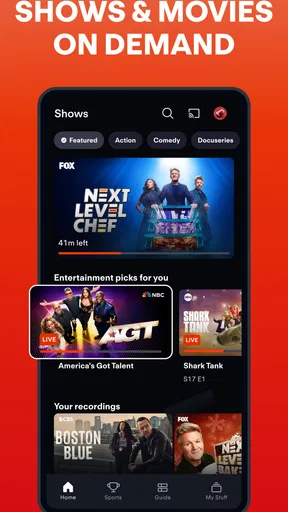
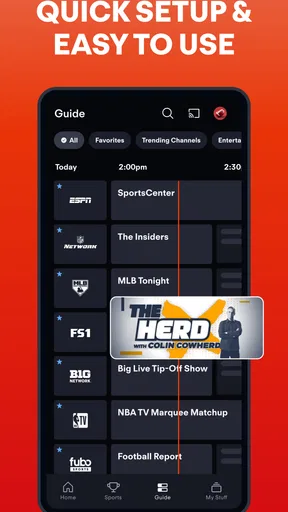
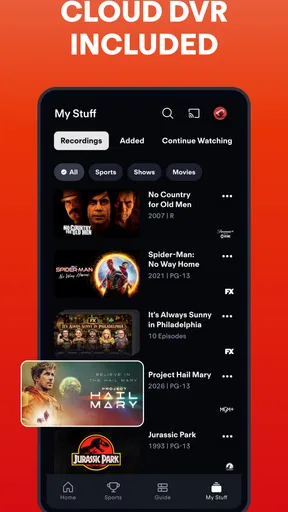
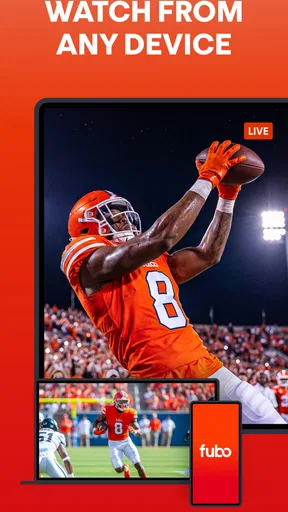
Our Review of Fubo: Watch Live TV & Sports
 Analysis by Appyee
Watching live television on a phone sounds simple until the connection becomes part of the experience. With Fubo: Watch Live TV & Sports, that connection is not a background detail; it determines how quickly a channel appears, whether a live moment feels smooth, and how practical the app is away from home. I reviewed it as an entertainment app from fuboTV, and my main impression is clear: it is most useful for people who want live sports and television in one mobile place, but it asks for a dependable internet connection and a little patience when conditions are less than ideal.
The app is free to install and has passed the ten-million-install mark, which gives it a substantial audience on Android. Its average rating sits at 3.1 from roughly fifty-one thousand ratings, so the public response is mixed rather than universally enthusiastic. That matches my experience: the idea is strong, the live-TV focus is convenient, and the service can be genuinely helpful during a game, but streaming interruptions and the realities of mobile connectivity can quickly affect enjoyment.
How Fubo feels when the network is doing its job
I find Fubo most convincing when the network fades into the background: I can focus on the broadcast instead of waiting for it to recover. That makes a short test in the place you expect to watch more useful than judging the app from one ideal session beside a router. It also helps set realistic expectations before choosing a live event to follow.
Live television rewards a stable connection
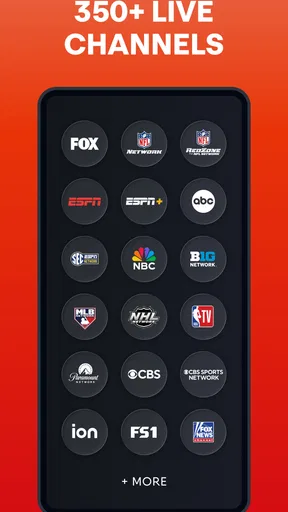
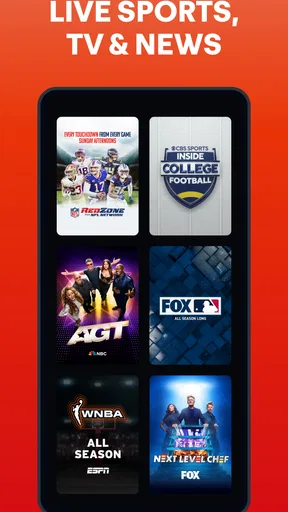
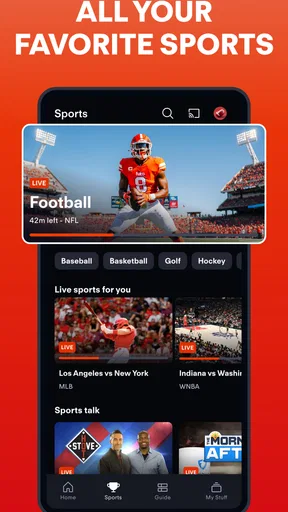
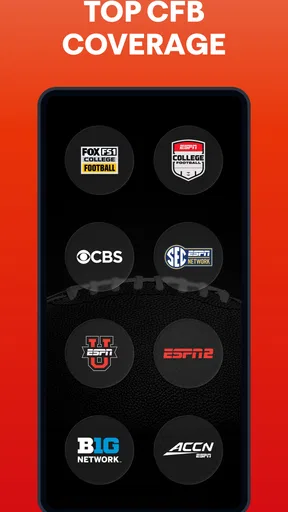
The best part of using this app is the immediacy. Instead of opening separate apps for different kinds of viewing, I can move through live programming and look for something happening now. The store summary highlights more than three hundred fifty live TV channels, including NFL and college football coverage on ESPN, ABC, CBS, FOX, NBC and other networks. That makes the app especially appealing during a busy sports day, when the value is not just watching one event but being able to check what else is available.
On a reliable home Wi-Fi connection, the experience feels much closer to ordinary television than I expected from a phone. I can start a channel, settle into the broadcast, and use the app as a flexible second screen while cooking, working at a desk, or sitting somewhere without a television. The important difference is that the app depends on the quality of the connection all the way through. A strong start does not guarantee a perfect stream later if the network becomes crowded.
I found the live nature more useful than a simple catalog of on-demand programs in certain situations. If a match, news broadcast, or scheduled show is the reason I opened the app, browsing live channels gets me closer to the point quickly. It also changes how I use my phone: I am not only choosing a program, I am checking what is happening right now. That is a good fit for viewers who dislike missing the beginning of an event.
Why sports viewers notice connection problems first
Sports expose streaming weaknesses immediately. A short pause during a quiet interview is annoying; a delay during a decisive play is much worse. When the connection fluctuates, the picture may become less fluid or take longer to recover, and the emotional rhythm of a live game suffers. This is one reason I would test the app at home before relying on it for an important match away from a television.
There is also a practical trade-off between convenience and timing. Watching on a phone lets me move from room to room, but a mobile stream may not feel perfectly synchronized with another television in the same home. If people are discussing a play nearby, even a small difference can make the mobile viewer hear reactions before seeing the action. That is not unique to this service, but it matters more when the main reason for opening it is live sport.
My useful habit is to open the app several minutes before an event I care about. That gives the stream time to load and leaves room to switch channels if the first one behaves poorly. It is a small change, but it avoids turning the opening moments of a game into a troubleshooting session. For casual viewing, I do not worry about this. For a major event, I treat the connection check as part of the preparation.
Using it in everyday mobile situations
The app makes the most sense when a television is unavailable but a phone is close at hand. I can imagine using it during a lunch break, in a waiting room, or while traveling within a place where I have dependable internet access. A short viewing session is easy to start, especially when I already know which live channel I want. The phone format also works well when I want to keep the volume low and watch privately with headphones.
At the same time, a phone screen is not a perfect replacement for a living-room setup. Long sessions can feel cramped, and the smaller display makes detailed sports action less comfortable than a television. I would use the app on mobile for flexibility rather than maximum picture size. If my goal were a relaxed evening of several hours on a large screen, I would prefer the usual television-based option whenever it was available.
One less obvious use is as a backup screen during household conflicts. If someone else is using the main television, I can follow a live broadcast without asking them to change what they are watching. That is where the app feels more valuable than its simple “watch live TV” description suggests. It does not need to replace every screen in the home to be useful; it only needs to give one person another practical way to follow a program.
What happens when the connection weakens
The difficult moments are usually not caused by choosing a channel. They happen after the stream has started, when Wi-Fi becomes unstable, mobile reception changes, or another device begins using the same network heavily. The result can be a pause, a delayed picture, or a longer wait before live video returns. I find these interruptions more frustrating than a slow-loading on-demand title because live programming continues while the app is trying to catch up.
My first recovery step is simple: I check whether the problem affects only the app or the whole connection. If other services are also slow, restarting the stream repeatedly will not solve the real issue. If the network is fine elsewhere, closing and reopening the channel can be more useful than waiting indefinitely. I also try moving from a weak room in the house to a position closer to the router, or switching between available connection types when that is practical.
Another helpful approach is not to make several changes at once. If I immediately force-close the app, change networks, and restart the phone, I lose track of what fixed the problem. A calmer sequence makes the experience easier to manage: wait briefly, retry the channel, check the connection, then restart the app if needed. This is especially useful for people who are not comfortable diagnosing streaming issues.
Recovery is also affected by expectations. I do not judge the app as harshly when a weak public Wi-Fi network causes trouble, because any live streaming service would struggle in that situation. I do judge it by how quickly I can return to viewing after the connection is stable. That is the real test for a mobile service: not whether every network is perfect, but whether ordinary problems feel manageable.
Mobile data requires deliberate choices
Using the app over cellular data is convenient, but I would not treat it casually. Live video can consume a meaningful amount of data during a long session, and the exact impact depends on stream quality, viewing time, and the network environment. Since the app is designed around live television, it is easy to keep watching longer than planned. A quick check of a score can quietly become an entire half of a game.
My practical advice is to reserve extended viewing for Wi-Fi whenever possible and use mobile data for shorter, intentional sessions. Before opening a live channel away from home, I ask myself whether I really want to watch or only want a quick update. That question helps prevent accidental data use. It is also wise to keep an eye on the phone’s own data-usage tools, because they provide a clearer warning than relying on memory.
Battery deserves similar attention. Streaming video, keeping the display active, and maintaining a mobile connection can make a phone run down faster than ordinary reading or messaging. I would start a long session with sufficient charge or keep a charger nearby. This is not a reason to avoid the app, but it is a reason to see mobile viewing as a planned activity rather than something completely free of practical limits.
Who will get the most from it
I think the strongest audience is the viewer who follows live sports and wants a flexible way to watch when the main television is occupied. The app is also attractive to households that want a broad live-TV choice without limiting viewing to one fixed screen. Its entertainment category is broad, but the sports emphasis gives it a more specific identity than a general video player.
It can also suit someone who moves between home and mobile viewing during the day. I might begin watching in one place, then use the phone when I need to leave the room. That kind of continuity is valuable because it removes some of the friction of finding a separate broadcast. Still, the usefulness depends heavily on having a connection that can support live video where I am.
I would be more cautious recommending it to someone who mainly watches downloaded content, has limited mobile data, or regularly spends time in places with unreliable internet. This is not the right choice for an offline-first viewing routine. It is also not ideal for a person who wants the simplest possible low-cost television arrangement, because the free installation does not mean every viewing need is automatically covered. The app includes in-app purchases priced at $6.99 per item, so I would review the available options carefully before treating it as a complete replacement for another service.
How it compares with ordinary alternatives
Compared with an antenna or regular television broadcast, the app is more flexible but more dependent on internet quality. An antenna can be preferable when the goal is straightforward local viewing without using phone data. Traditional television also avoids the distraction of managing a mobile screen during a live event. Fubo’s advantage is mobility and breadth: I can take the viewing experience with me instead of being tied to one set.
Compared with a general on-demand streaming app, this service is better suited to viewers who care about schedules, live events, and channel-style browsing. An on-demand catalog is usually more forgiving when the connection briefly falters because I can pause or return later. Live programming has urgency, and that urgency is exactly what makes this app useful for sports while also making its interruptions more noticeable.
Compared with watching through individual network apps, the main appeal is having a more centralized live-TV experience. I do not have to think about a completely different viewing destination every time I want to check another channel. The trade-off is that a specialized network app may be the better choice when I only care about one particular broadcaster or one narrow type of content. Fubo earns its place when variety and live access matter more than keeping everything minimal.
Details worth knowing before installing
The app is free, carries a Teen content rating, and supports Android version 7.0 or later. It was released on September 8, 2014, and the current version is 5.58.0. Those details make it accessible to many Android users, including people with older compatible devices, although actual streaming comfort will still depend more on the phone’s performance and network than on the installation itself.
The developer shown for the app is fuboTV. I appreciate that the product has a clear identity rather than pretending to be a neutral player for every kind of video. It is built around live television, with sports prominently placed in the reason to use it. That focus helps me decide quickly whether it belongs on my phone: if live channels are important, it is worth investigating; if they are not, a simpler video app may be a better fit.
The public rating of 3.1 is worth considering without treating it as a final verdict. Ratings often combine different expectations: some people may be judging channel availability, others may be reacting to playback, account decisions, or device-specific behavior. I use the rating as a caution to test the app under my own normal conditions. A service that works smoothly on home Wi-Fi may feel very different on a crowded mobile network.
My practical routine for a smoother session
When I plan to watch something important, I prepare the app rather than opening it at the exact start time. I make sure the phone has enough battery, connect to the strongest available network, and begin with the intended channel. If I am using mobile data, I decide in advance how long I want to watch. These steps sound ordinary, but they address the most common sources of frustration: weak connectivity, low battery, and unplanned data use.
I also avoid judging the whole service from one bad public connection. I test it in the place where I expect to use it most. For someone who wants to watch at home, that means checking the room where the signal is weakest, not only sitting beside the router. For someone who plans to use it while traveling, I would try a short session before depending on it for a full event.
Finally, I keep an alternative in mind. If the stream cannot recover after the connection is stable, I switch to another legitimate way of following the event rather than spending the entire moment restarting the same channel. That backup mindset is particularly important for live sports. The app can be a strong primary option, but no internet-based service should be the only plan when the event matters deeply.
My connectivity verdict
Fubo: Watch Live TV & Sports is a worthwhile option for people who want live channels and sports on a mobile device, especially when a dependable Wi-Fi connection is available. I like its value as a second screen, its suitability for following scheduled events, and the freedom to watch away from a fixed television. The broad channel focus gives it a clearer purpose than a generic streaming player.
My reservations are equally practical. Live viewing magnifies every network weakness, mobile data can become expensive in attention and usage, and a phone is not always comfortable for a long broadcast. The free installation should therefore be viewed as an invitation to test the experience, not as a promise that it will replace every television arrangement. The in-app purchase cost of $6.99 per item also makes it sensible to understand what you are selecting before committing to anything.
I would recommend trying it if your priority is live sports and flexible television access, and if your usual viewing locations have reliable internet. I would skip it in favor of a more offline-friendly or narrowly focused alternative if connectivity is unpredictable, data is tightly limited, or you mainly want a simple on-demand library. In my experience, the app succeeds when I plan around the network instead of pretending the network does not matter. That is the honest key to enjoying it.
Verdict
Strengths of Fubo: Watch Live TV & Sports
- Excellent coverage of live sports, including major leagues and international events.
- Cloud DVR lets you record programs and watch them later on supported plans.
- Multi-screen viewing makes it easy to follow several games at once.
- Includes news, entertainment, and lifestyle channels beyond sports content.
- Personalized recommendations help surface relevant live and on-demand programming.
Limitations of Fubo: Watch Live TV & Sports
- Subscription prices can be high compared with some traditional streaming services.
- Regional restrictions may prevent access to certain teams or local channels.
- Some channels and features require upgrading to a more expensive plan.
- Live streams may experience buffering when the internet connection is unstable.
- Advertisements can still appear during recorded and on-demand programming.
Similar Picks in This Category
View All
Google Play Games
Google LLC3.9

Netflix
Netflix, Inc.4.8

YouTube Kids
Google LLC4.2

Disney+
Disney4.4

Prime Video
Amazon Mobile LLC4.7

Steam
Valve Corporation3.2
Frequently Asked Questions
What is Fubo: Watch Live TV & Sports?
Fubo is a live-TV streaming service focused on sports, news, entertainment, and selected local channels. After installing the app, users can browse live programming, check upcoming events, and watch supported channels on demand. The exact channel lineup and available features depend on your country, subscription package, device, and current agreements with broadcasters.
Does Fubo require a subscription, and is there a free trial?
Fubo generally requires a paid subscription to watch its full live-channel lineup and premium sports content. New customers may sometimes receive a free trial or promotional offer, but availability, duration, pricing, and eligibility can change. Check the sign-up screen carefully before confirming payment, especially for automatic renewal after a trial or promotional period ends.
Which sports and channels can I watch on Fubo?
Fubo is designed for viewers who want live sports alongside regular television programming. Depending on your region and plan, it may include sports networks, league coverage, news channels, entertainment networks, local stations, and specialty content. Channel availability can vary significantly by location, so review the current lineup before downloading or selecting a subscription.
Can I watch Fubo on multiple devices?
Fubo supports viewing on many modern devices, including compatible Android and iOS phones or tablets, streaming players, smart TVs, and web browsers. However, supported platforms, simultaneous-stream limits, casting options, and picture quality may differ by plan. Make sure your device uses a supported operating-system version and a stable internet connection for reliable playback.
Does Fubo offer cloud DVR and on-demand viewing?
Many Fubo plans include cloud DVR storage, allowing subscribers to record selected live programs and watch them later. The amount of storage and retention period can depend on the subscription tier. Some shows, movies, and sports events may also be available on demand, although licensing restrictions can affect replay availability, commercial controls, and how long content remains accessible.
